


Works with
50+
Why you need it?
At IOIO we love the big ticket popular software for creatives to death. They’re just slow and overkill to spin up most of the time, plus your stuff remains non-visual and buried in folders or scattered across multiple tools.
Drag & Drop
Drag & Drop your assets effortlessly. Drag inspo images, packshots, logos – whatever into custom collections. Then edit on the fly and then drop it where- and when you need it – perfectly scaled and optimized.
Catch a break
Finally a second brain for your creative work with a powerful toolset layer on top. Catch a break from managing your project assets across multiple formats in siloed apps and folders.
So someone handed you a style guide – great! There’s just one problem! It’s kind of static just sitting there in some irrelevant UI. We fixed that. FLEX™ turns your brand resources such as logos, images, hero texts, colors, gradients – everything, into living assets you can tweak, organize, and output for multiple use cases from a single point of origin.
We get it – things like mood maps are great. They are just very upstream in the design process. The moment you want to actually do something with your inspiration – explore directions, test ideas, ship real assets – you’re back to bouncing between folders and apps. No more! With FLEX.™ the big beautiful mess that is design, gets a second brain for inspo and outputting assets for multiple real life scenarios.
As a Content Creator you’re not trying to master a massive design suite. You’re trying to ship. consistently – on tight schedules. FLEX™ keeps it simple. Tweak, reuse, and export your assets fast with your ideas connected, and your sanity intact. No chaos. No wasted time. Just straight-up creation that actually lands with your audience. Your content calendar just got a whole lot calmer.
How does it work?
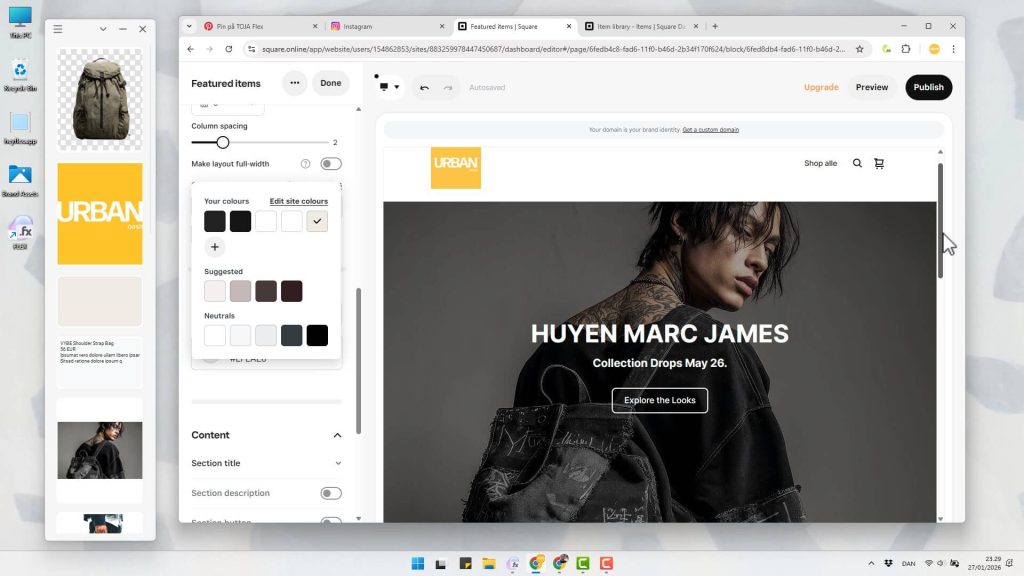
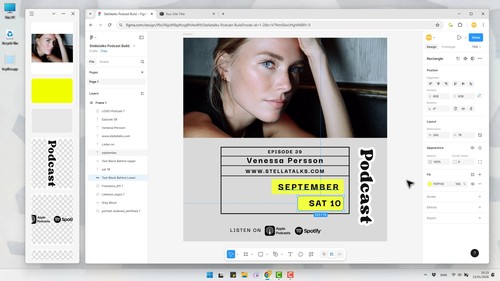
FLEX is a desktop app that floats above all other apps, but toggles collapsed / uncollapsed with just a double click on the top bar (and minimizes too).
Stay organized dragging your items into Collections. Have one for Inspo, one for Logos, one for Brand Color Swatches etc. Sort and manage them at will.
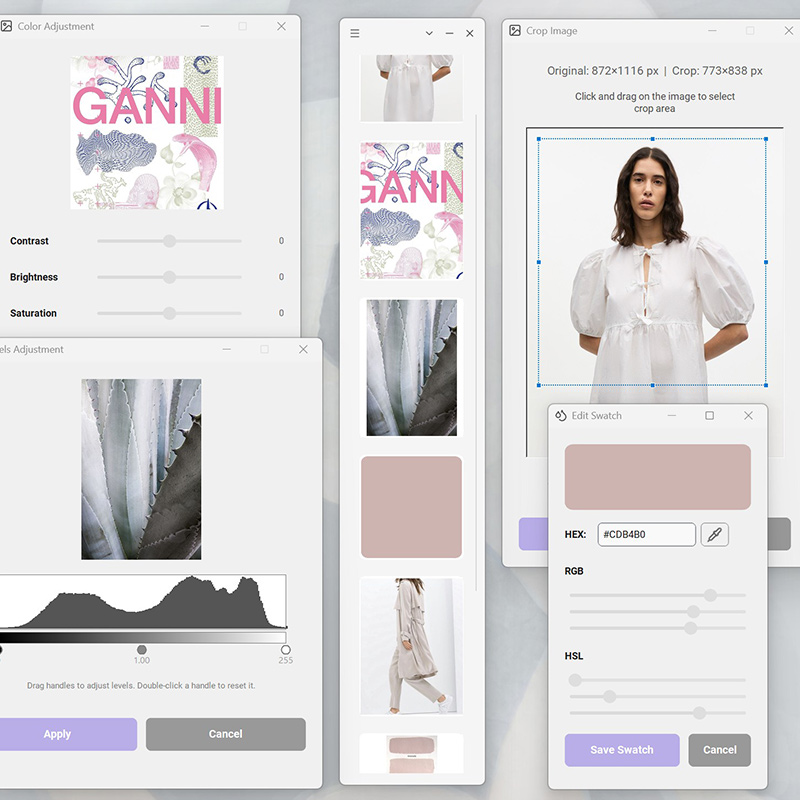
Double click images to view them full size with pan and zoom. Create resized copies. Crop & rotate. Remove* Background. Tinify* and more.
Add color swatches for brand colors or projects. Or create beautiful gradients. All finely tuneable and transferable to other apps via Copy to Clipboard as #HEX / CSS

Drag images from e.g. the desktop or any webpage like pinterest.com into FLEX and back onto any desktop or web app like Photoshop, Figma or Shopify.
Supports all relevant standard formats with transparency retained. .png, .jpg, .gif, .bmp, .webp, .avif, .heif, .heic, .svg & .pdf
Adjust Contrast, Brightness, Temperature, Tint and Levels with Histogram. Add color overlay to change colors of logos and icons etc.
Built-in Screen Capture. Text Items (for website texts, AI prompts etc.). YouTube Video Links, Ctrl+Drag Reordering of Items, Undo & more.

Designed by Creative Agency Vets That Put in The Reps
We didn’t start with design and looked for a problem. We started with decades in the trenches – shipping work under impossible deadlines, juggling feedback and making things work with whatever time and tools we had. FLEX™ is built from that reality. It is made for creatives trying to stay sharp, stay relevant doing their best work in an industry that rarely makes it easy.
FAQ
Yes. FLEX. of course has a beautiful dark mode too. Simply switch between Dark and Light Theme in the main menu.
All the data you create in FLEX.™ lives locally in a simple FlexData folder created on first launch. By default the FlexData is stored in your user profile on both Windows and macOS.
However in the FLEX Settings menu you can also enable “Portable”, in which case the FlexData folder is created in the same location you run the exectuable from. This is handy if e.g. you want to sync data between your deskstop and your laptop, because you can simply run the executable from any synced folder handled by e.g. Dropbox or Google Drive, and it will pull in data from the accompanying also synced FlexData folder.
Yes – this is possible in the following way. In the FLEX Settings menu you enable “Portable”, in which case the FlexData folder is created in the same location you run the executable from. This is handy if e.g. you want to sync data between your desktop and your laptop, because you can simply run the executable from any synced folder handled by e.g. Dropbox or Google Drive, and it will pull in data from the accompanying also synced FlexData folder.

“As a young cosmetics brand experiencing triple-digit growth, our web- and content team had to maximize productivity to keep up. Most creative software is packed with features at this point, that even our experts will never touch. FLEX.™ strips that noise away and adds a whole new level of transparency – keeping ideas, assets, and output connected without getting in the way. It quietly replaced half the tools we used to rely on”.
Emilie Delance
CEO / Founder
How do I install it?
FLEX.™ is next-gen desktop software that doesn’t ask to be installed. Seriously. Download it, run the executable, and you’re in. Drag in graphics, color adjust them, do some inspo screenshots, build a few brand color swatches. Then drop those items optimized into any workflow – done. No save buttons. No friction. FLEX.™ uses persistent storage, so your work is always just… there.
At 50MB’ish, FLEX™ stays light on disk and memory (Photoshop weighs in at 4800MB). All data lives locally in a simple FlexData folder created on first launch. Drop that folder into Dropbox (or any sync folder) and FLEX.™ stays in synced everywhere you work.
We get it – you’re already exhausted by graphics software you own that keeps piling on features nobody asked for. But every now and then, a tool pulls up that earns its place in your stack by actually making life easier. We think FLEX is that tool.
FLEX.™ is a graphics productivity toolbox that floats above your OS with your stuff organized, so you never have to navigate folders and open Photoshop for small edits again.
No – BUT it will cost you very little to try it out. FLEX. is very affordable starting at 3.49$ per month. We think you’ll really like FLEX.™, and if against our hopes you don’t, we offer a 30-day money back guarantee.
The purchasing process is very straightforward – you’ll be up and running in 5 minutes:
Procedure:
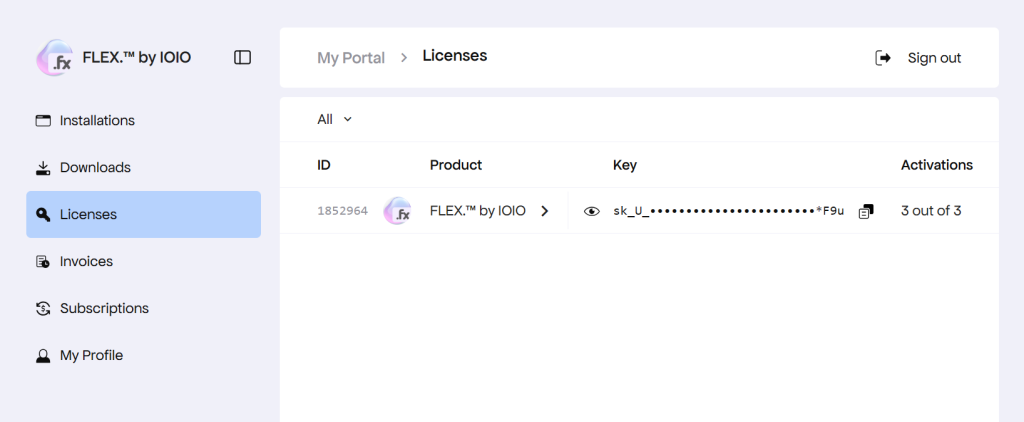
When you run FLEX. the first time it asks for your License Key. Just make sure you are online, then enter your License Key from the email you received or grab it from the Customer Portal.
You can have FLEX. activated on 3 devices at a time. So feel free to install it on both your Workstation and Laptop, or whatever you prefer. If you stop using it a particular device (e.g. get a new laptop) you can just deactivate the License key on that device, and use it at another device instead.
Just be sure to be online when you perform the activation/deactivation.
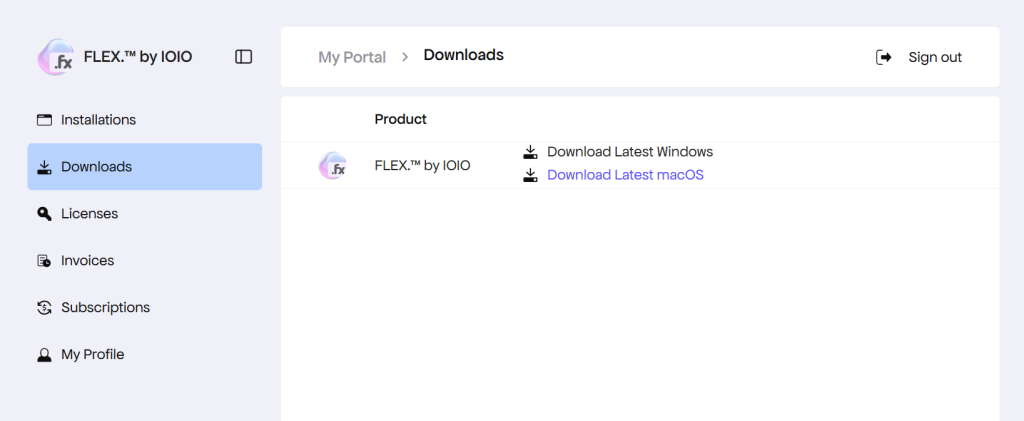
Absolutely! From your Customer Portal you can change your subscription and cancel it too.